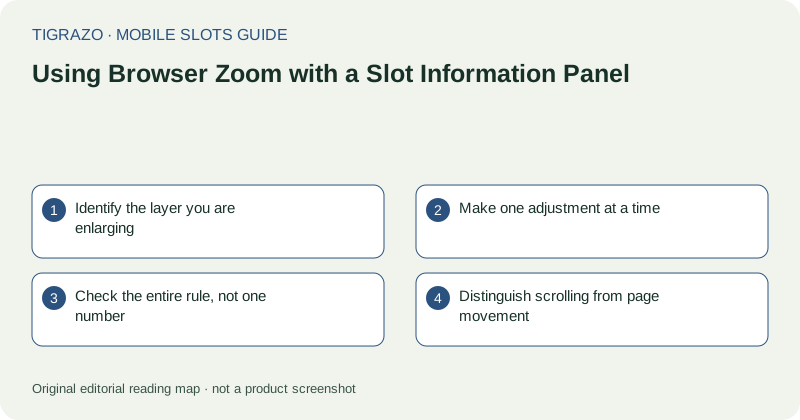
Identify the layer you are enlarging
A mobile page can contain site navigation, an embedded game and an information overlay within that game. Zoom may enlarge one layer while leaving another unchanged. Notice whether letters become larger or whether only the surrounding page moves.
If the paytable uses images or a fixed-size canvas, browser text enlargement may have limited effect. That does not mean the panel is broken, but it may mean another orientation or display is needed to read it comfortably.
Make one adjustment at a time
Open the information panel from a settled screen. Use the browser's supported zoom or accessibility controls deliberately, then inspect what changed. Avoid repeated pinch gestures near game controls if the page is interpreting touches unpredictably.
Keep a route back to the original view. A heavily magnified page can hide the overlay's close button or the browser's navigation. If you cannot identify which layer is moving, stop gesturing rather than turning the reading task into trial-and-error input.
Check the entire rule, not one number
Magnification can make a payment amount clear while moving its unit or qualifying condition off-screen. Read across the complete relationship. A number without its row heading, symbol quantity or unit is not a useful interpretation of the paytable.
| After enlarging | Confirm |
|---|---|
| Symbol row | The image and quantity still belong together |
| Payment column | The header and unit are identifiable |
| Rule paragraph | No condition is hidden beyond the edge |
| Panel controls | Navigation and exit remain reachable |
If horizontal movement is necessary, track the same row carefully rather than guessing which heading applies.
Distinguish scrolling from page movement
An inner panel may scroll separately from the page. Enlarging can make that difference harder to see. Look for visible panel boundaries and move within the intended area, keeping clear of action buttons.
Do not assume reaching the edge of the screen means reaching the end of the rules. Check for additional pages, tabs or continued paragraphs. At the same time, avoid activating unlabeled icons simply because they resemble navigation arrows.
When zoom is not the right tool
If enlargement produces clipping or overlapping text, restore a usable view. Another orientation, an available text alternative or a larger display may be more effective. There is no requirement to continue using an interface whose rules cannot be read accurately.
Zoom changes the view, not the game mechanics or recorded amounts. If a stake label becomes ambiguous after magnification, resolve the layout before any further action rather than relying on what the value looked like beforehand.