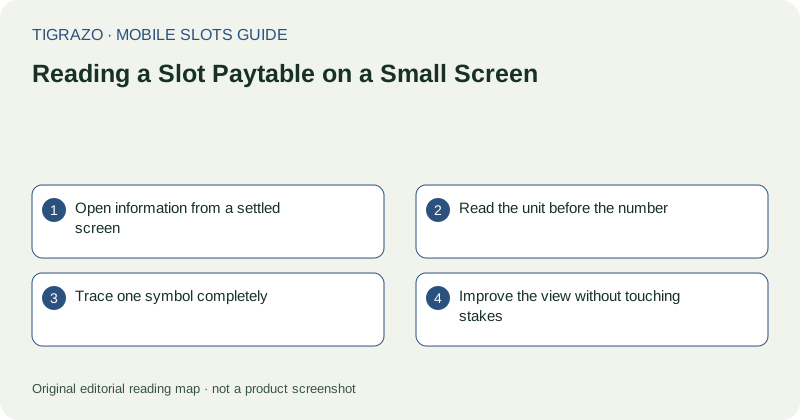
Open information from a settled screen
Wait until the game shows a settled state before opening its information panel. Locate the labelled help or paytable control carefully so that opening information is not confused with changing a stake. If the label is unclear, do not experiment with nearby action buttons.
Once the panel opens, identify its navigation. It may contain multiple pages or a scrollable inner area. A phone's main page can move while the information panel stays still, so notice which region actually responds before assuming you have reached the end.
Read the unit before the number
A payment figure may refer to a total stake, a line stake or another stated unit. The number alone cannot tell you which interpretation is correct. Find the explanatory sentence or legend and keep it visible while examining a symbol's listed amounts.
Hypothetical example: if a rule explicitly says a payment is five times a total stake of 0.40 units, the corresponding amount is 2.00 units. That calculation explains the stated unit only. It does not predict that the combination will appear or establish how another game expresses payments.
Trace one symbol completely
Choose an ordinary symbol and read its full row or card. Note how many matches are required, where they must appear and whether the rule includes a directional condition. Then read special-symbol definitions separately rather than assuming they follow the ordinary pattern.
- Identify the symbol from both its image and label.
- Read the minimum qualifying quantity.
- Check position and direction requirements.
- Find any exclusions affecting substitution.
- Confirm the payment basis used by the panel.
A small screen makes it tempting to skim. This single-symbol method creates a manageable reading task without replacing the remaining rules.
Improve the view without touching stakes
If text is too small, first try a supported orientation change or the browser's available accessibility controls while the game is idle. Some embedded frames do not respond to page zoom in the same way as ordinary text. Do not assume an unsuccessful zoom gesture means the information is absent.
If enlargement hides the close button or clips a column, return to a usable view. Avoid repeatedly tapping a partially visible control. A larger display may be the simplest way to read the information accurately.
Finish with a rule summary
Before closing the panel, summarise the combination structure, payment unit and special-symbol roles in plain language. If any of those remain uncertain, the paytable has not yet been read adequately for interpreting a result. There is no need to begin another round merely to resolve a reading problem.